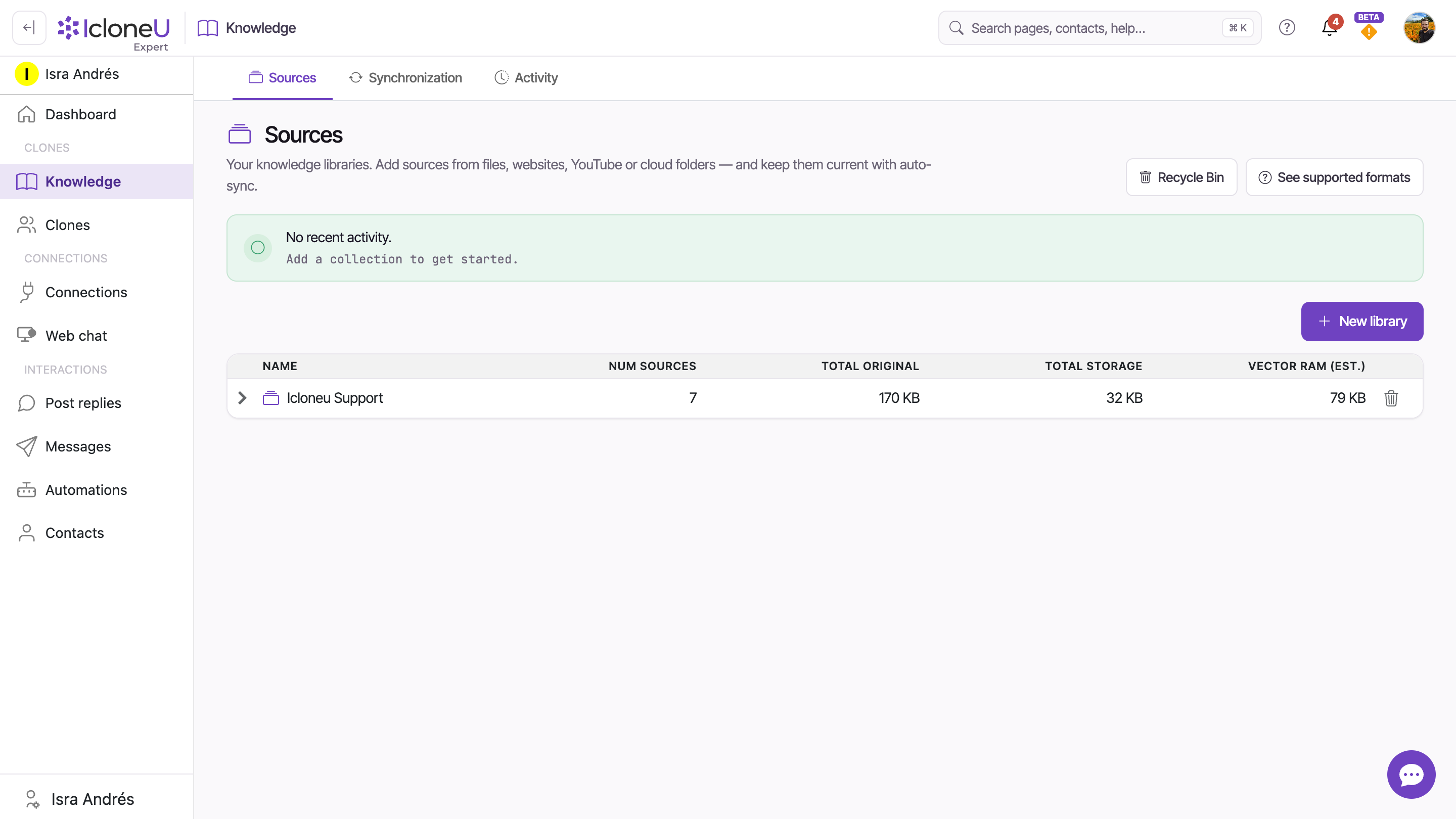
A Knowledge library is a named collection of source material — files, web pages, audio and video — that your Clones read from when they answer. It's the factual ground truth a Clone relies on, so its replies come from your business instead of the model's general knowledge.
You'll see this called a few different things in the product — Knowledge (the sidebar item), library, and collection all point to the same place. This guide calls it a Knowledge library throughout.
What a Knowledge library is
Each library groups everything a Clone should know about a topic, product line or audience. The flow is simple: you create a library, add sources to it (documents, web pages, archives and more), and attach the library to one or more Clones from each Clone's Knowledge tab.
Once a library is attached, the Clone consults it on every message — it looks up the most relevant passages, then writes a reply that blends what it found with the personality and tone you configured. Update the library and every Clone attached to it picks up the change on its next reply; there's no need to re-attach.
What you can put in it
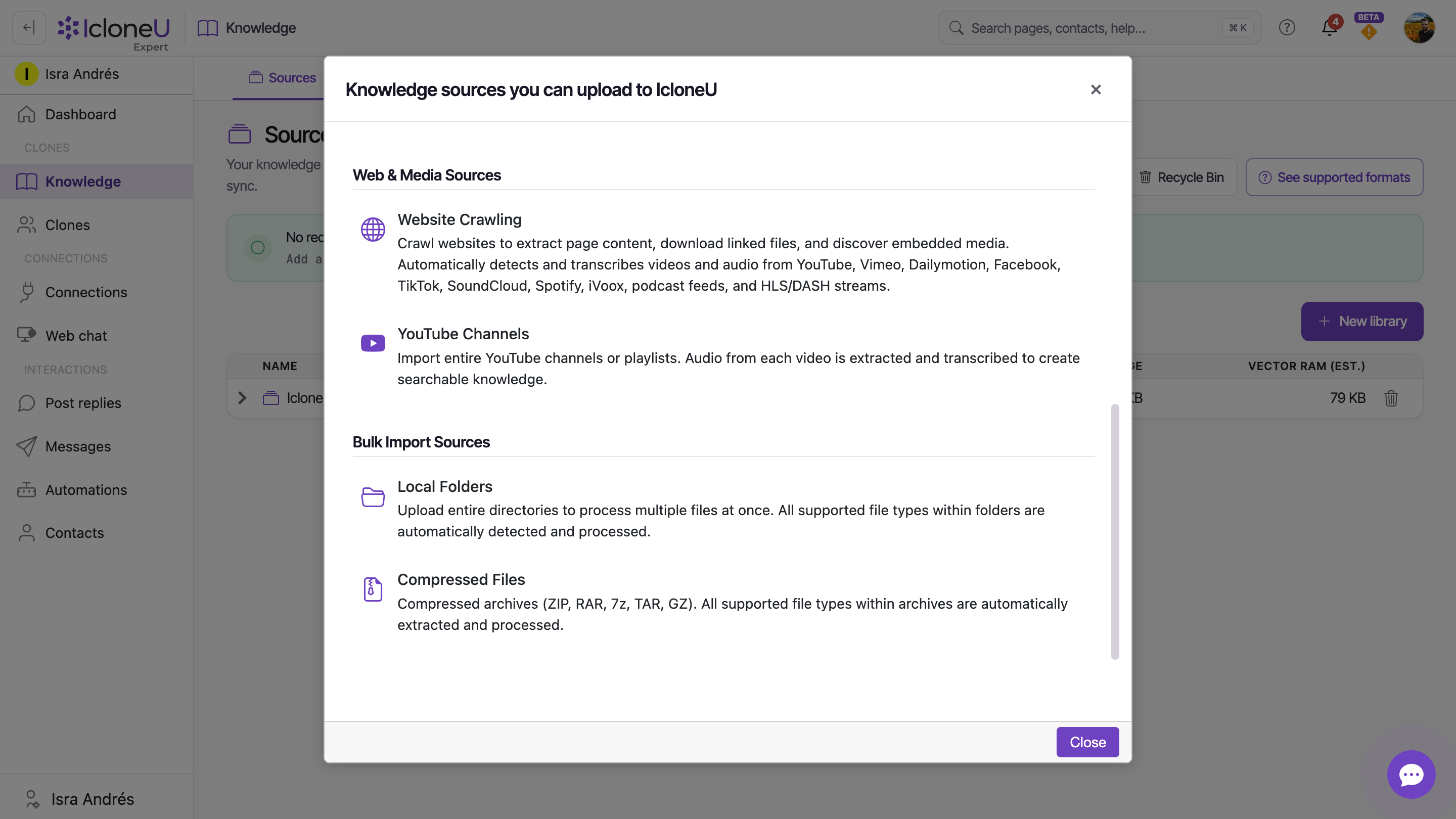
A source is any single piece of material you add to a library. Sources fall into three families:
| Source family | Examples | How it's handled |
|---|---|---|
| Files | Documents (PDF, .docx, .txt, .md, HTML), spreadsheets, slides, images, audio and video | Text is extracted; scanned PDFs and images are OCR'd; audio and video are transcribed automatically |
| Web & media | A website URL to crawl, or a YouTube channel or playlist | The crawler reads page content, downloads linked files and transcribes embedded media |
| Bulk import | A whole local folder, or a compressed archive (ZIP, RAR, 7z, TAR, GZ) | Each file inside becomes its own source, following the rules above |
The maximum size for a single file is 2 GB, and there's no limit on how many sources a library can hold.
Not sure a format is supported? On the Knowledge page, select See supported formats at the top of the Sources tab for the complete, authoritative list.
How it shapes your Clone's replies
Before a Clone answers, it runs a quick retrieval step — searching its attached library for passages relevant to the question. Three settings on the Clone's Knowledge tab control that step:
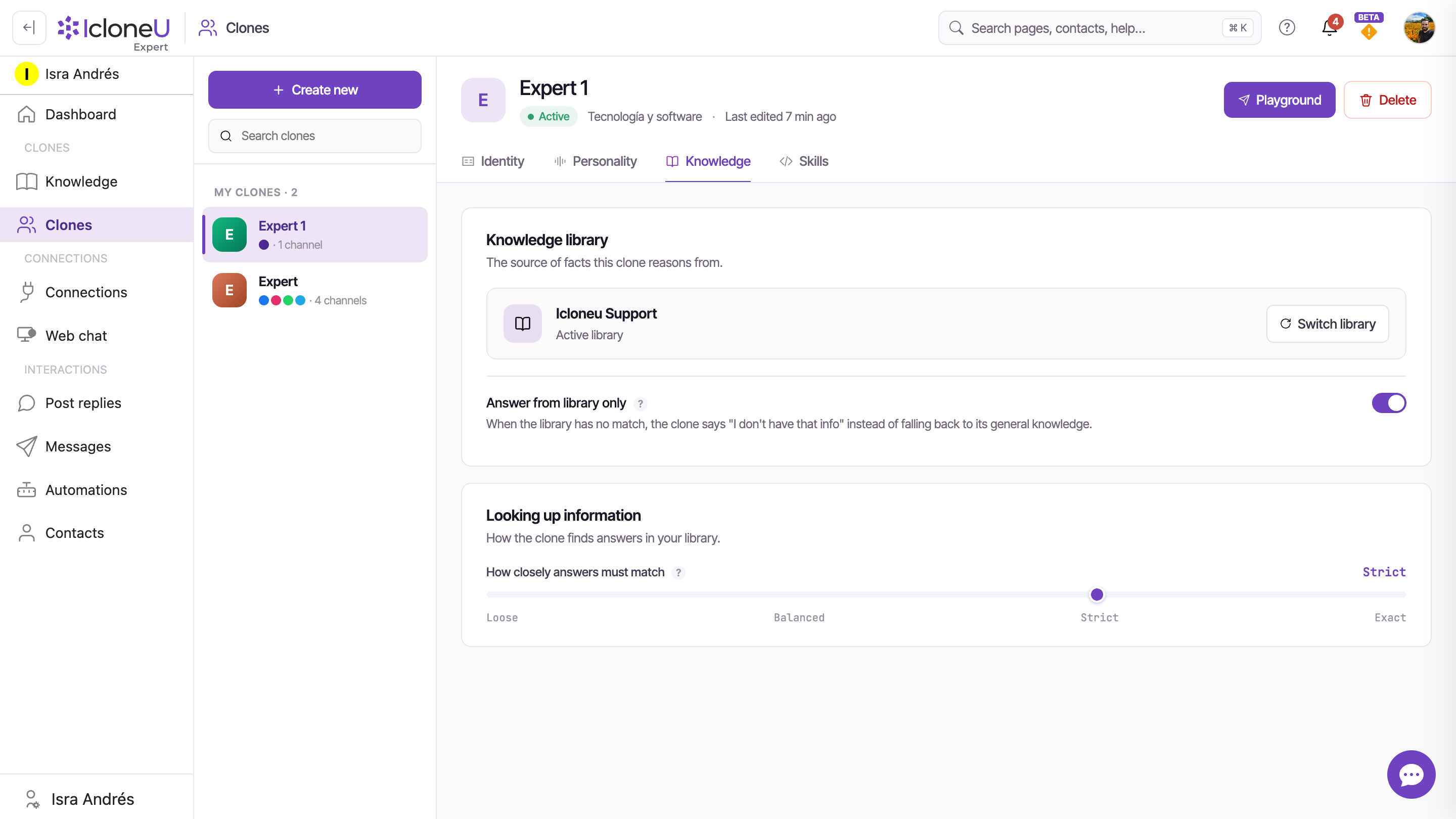
- The attached library — the source of facts the Clone reasons from. With no library assigned, the Clone uses only its instructions and retrieves nothing.
- Answer from library only — when on, the Clone replies "I don't have that info" if the library has no match, instead of falling back to general knowledge. Turn it on when accuracy matters more than coverage; leave it off when you'd rather the Clone always attempt an answer.
- How closely answers must match — a slider that sets how similar a passage must be to the question before the Clone uses it.
The match slider has four positions:
| Setting | What it does |
|---|---|
| Loose | Finds more answers, but some may be off-topic |
| Balanced | The default and recommended starting point — a middle ground |
| Strict | Only closely matching passages count |
| Exact | Only near-perfect matches — highest precision, but may miss valid answers |
Changes on the Knowledge tab apply only after you click Save changes — an "Unsaved changes" indicator stays at the bottom of the page until you do.
Where to find it
Open Knowledge in the left sidebar to see every library. The page has two tabs: Sources (the libraries list — expand a library to see the material in it) and Activity (the processing history — your diagnostic view while sources are being indexed). Accounts in the beta programme also see a Synchronization tab (how libraries stay current with external systems).
If you work in a team, the Knowledge page follows the account you're working in: with a team selected it lists the team's shared libraries — including ones your teammates created — and any library or source you add there belongs to the team's account. Switch back to your personal account to see your personal libraries.
Frequently asked
Yes. Attach the same library to as many Clones as you like — each reads from it independently, and each can have its own Answer from library only and match-strictness settings. Update the library once and every attached Clone sees the change on its next reply.
Not today — a Clone reads from a single library at a time, and multiple libraries per Clone is on the roadmap. For now, consolidate what you want a Clone to see into one library. (Note: function libraries — the skills side — already support several per Clone; that's a separate feature.)
As soon as it finishes processing. What you see on the Sources tab depends on the source. A file you upload shows Queued, with its name, in a strip above the library's list, then appears in the list as its own row once it's processed; a single file never gets a status label. A website gets its own row, whose Status shows Queued, then a live count as the crawl finds pages, then Review Items: click it, choose the pages and click Process (N), and the row shows Queued and a live count again before it ends on Ready (the details are in Adding website URLs). Ready only ever appears on a row that groups sources, such as a website, a folder or a YouTube channel. Text and small documents are usually ready within minutes, while audio, video and large website crawls take longer (these are rough guides, not guaranteed times — IcloneU doesn't publish processing SLAs). Watch the Activity tab for live progress.
It depends on Answer from library only. On: the Clone says it doesn't have that information rather than guess. Off: it may fall back to the model's general knowledge to stay helpful.
Last updated September 23, 2026 · Knowledge Library